
Blog Post Music
Jazz Scales Practice: An Interactive Web App#
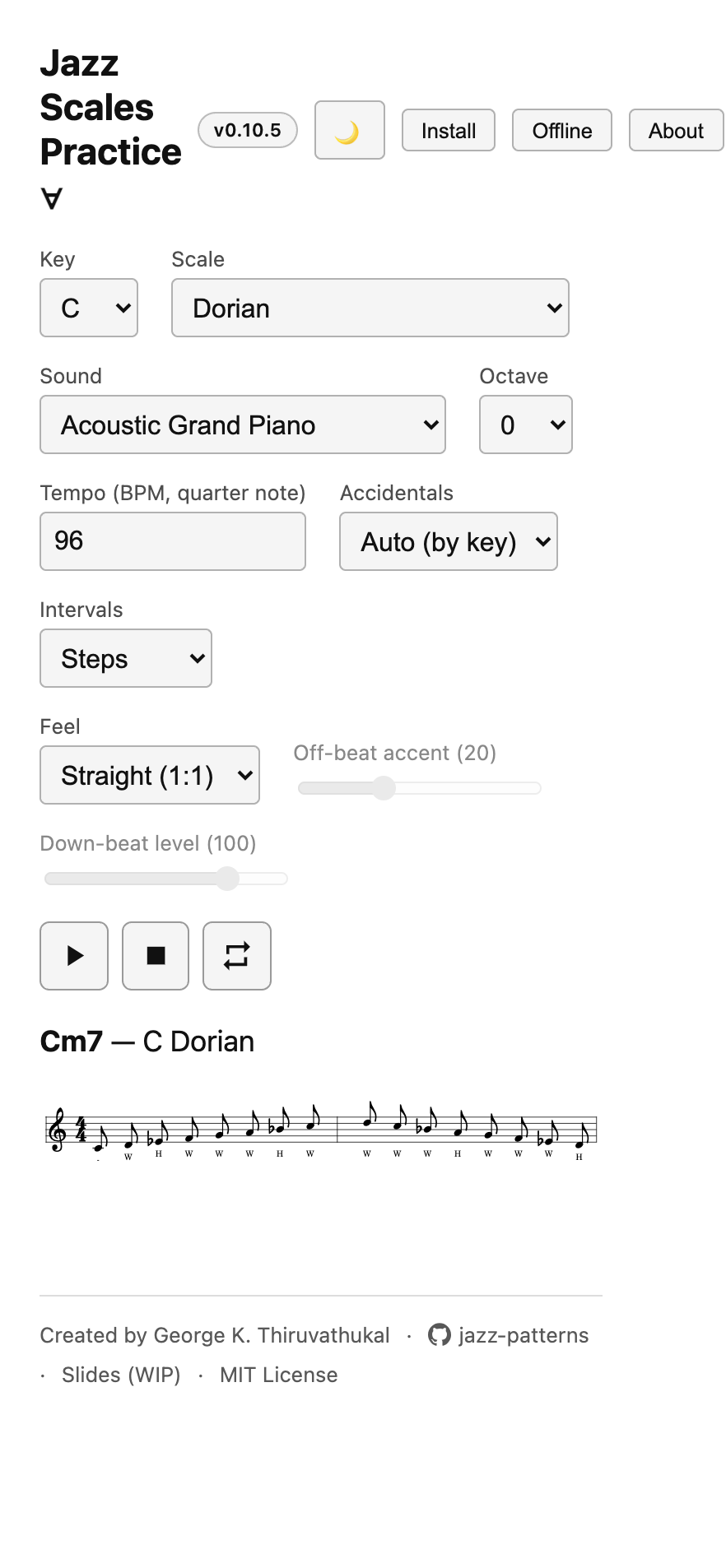
I built an interactive web app for practicing jazz scales: jazz-scales.gkt.sh. Pick a key and a scale, see the notation, and play it back with a real transport — watching the current note light up as it sounds. It’s free, requires no account, and works offline once installed.
Why I Built It#
I already had a print book of scale charts, generated from a Python/Abjad model — the same work I published as Jazz Scale Patterns with Abjad and Lilypond. A PDF is fine for reading, but practicing a scale means hearing it — at whatever tempo and feel you want — with your hands free to actually play along. So I built a web app on top of the same scale data: no login, no server, no cookies — just pick a key and scale and go.
What It Does#
Notation — a treble-clef render of any key × scale, with the step-interval labels (W / H / W+H / m3 / M3) written under each note, matching the print book.
Transport — Play / Pause / Resume, Stop, and Loop, with the currently sounding note highlighted in the score in sync through pauses and loops.
Instruments — a curated set of General MIDI sounds (keys, guitar, bass, horns) plus a dedicated Salamander grand piano sample, with sensible per-instrument octave defaults.
Feel — a swing-ratio dropdown (after Ethan Iverson’s “Take a Swing at It”), from straight time through several swing ratios, with off-beat accent and down-beat level controls.
Interval practice — beyond just playing the scale straight, you can practice it in diatonic patterns (seconds, thirds, up through sevenths), each rendered as its own looping phrase built from the scale’s own tones.
Installable and offline — it’s a Progressive Web App: install it to your phone or desktop, and download the instrument sounds you use so it keeps working with no internet connection.
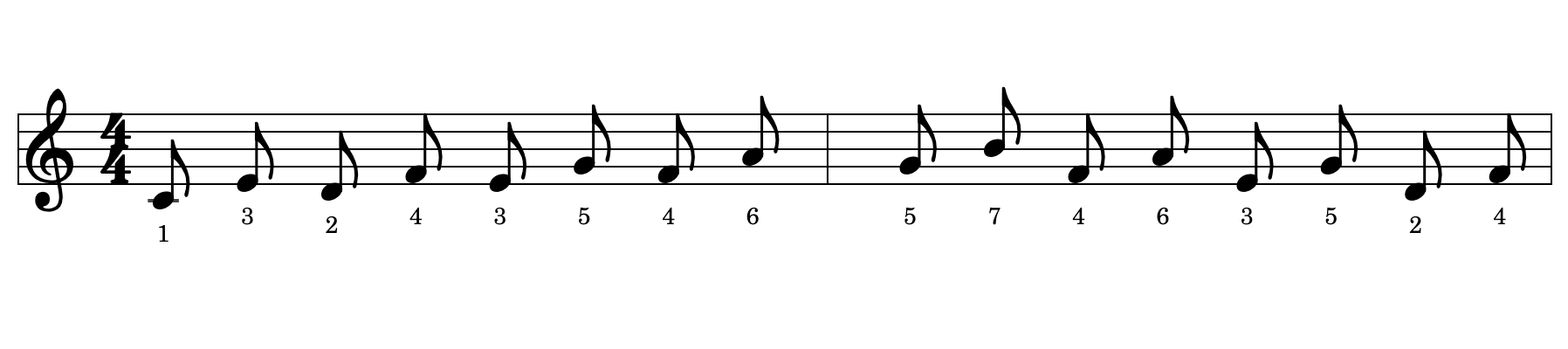
The thirds pattern above is one of the interval-practice options — each note is labeled with its scale degree, so you can see exactly what you’re playing as you hear it.
How It’s Built#
The app is TypeScript and Vite, using VexFlow for notation and smplr for sampled-instrument playback. The scale data itself is generated from the same Python/Abjad model that produces the print book — every key and scale is resolved once, in one place, to note names, octaves, MIDI numbers, interval labels, and chord symbols, so the web app and the book are never out of sync with each other.
Staying Up to Date#
Since the app installs to your home screen or dock like a native app, it’s fair to ask how it gets updates — there’s no app store checking for new versions.
A PWA handles this with a service worker: a small background script the browser keeps running for the app, separate from the page itself.
When you open the app, the service worker checks in the background for a newer version.
This one is set to update automatically (Workbox’s autoUpdate mode): if a new version is found, it downloads and takes over quietly, so the next time you open or reload the app, you’re already on the latest version — no “update available” popup to click through.
The only thing that doesn’t update automatically is the offline sound cache: those are downloaded on demand through the app’s Offline panel and stick around until you remove them, so a new release doesn’t force you to re-download instruments you already have.
Try It#
The app is live at jazz-scales.gkt.sh, and the full project — the Python scale/blues generators, the shared music-theory helper package, and the web app — is on GitHub at gkthiruvathukal/jazz-patterns.